Edit Application - SC/ST/OBC Caste Certificate WB 2026
Edit application for caste certificate 2026 is now available on the official backward classes welfare department’s official website. First of all, we are clear that the edit application option is only available online. The Backward Welfare Department of West Bengal provides the official website for caste certificates that have lots of features for backward-class people. Any person who belongs to backward classes (SC/ST/OBC) can apply for a new cast certificate online. If any person makes some mistake in the application and they recognize it after the submit application form then they can easily edit their submitted application again.
Sometimes the applicant makes some mistakes when filling in the application form and they recognize their mistakes after submitting the application form or sometimes they remember after a few days. For this problem, the backward classes welfare department also provides an edit application option on the official website. Anyone who applies for a new cast certificate can edit their application by using the application number and date of birth.
How to Edit Application Online 2026 (SC/ST/OBC Application 2026)
Now we are going to know how to edit applications online, as we mentioned above to edit any application need information 1. Application number 2. Date of birth of applicant. To know your application number please check your own messages of the registered mobile number that you gave when submitted the form. Also, you have received a receipt of the application after successfully completing the application
(to know about how to get your application number please check here – Apply For SC/ST/OBC).
Now follow these steps to edit your application-
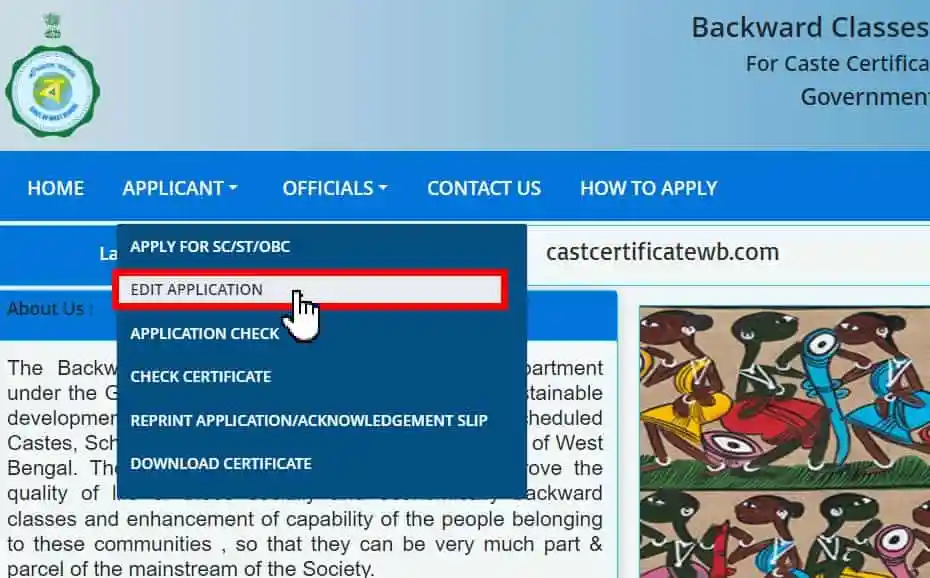
Step 1. To edit the application first of all you have to visit the official website of cast certificate WB https://castcertificatewb.gov.in/edit-application/. On this website, you can see an option named “applicant” on the menu bar. Inside this option, you also see another option named “edit application”. Click on this option to open the edit application page.
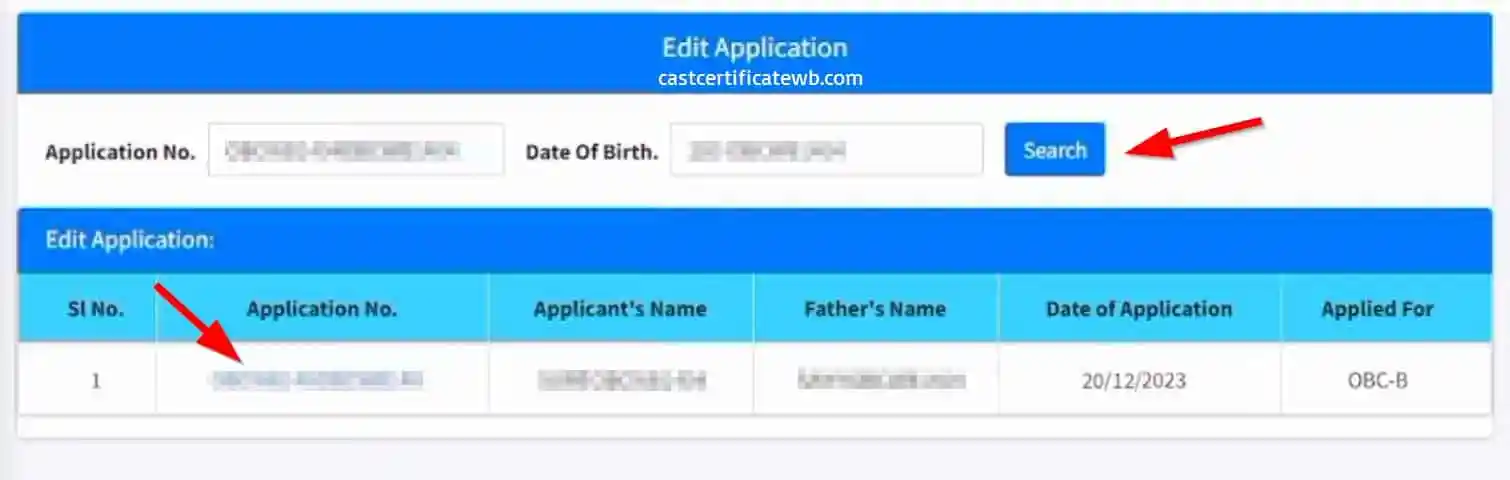
Step 2. On this page, you can see two options 1. Application number, 2. Date of birth. Now just enter the application number that you want to edit. Then enter the date of birth of the applicant who is applying for this application. After that click on the search button.
Step 3. After clicking the search button you can see a table format with details of the application and applicant. Here you can see six columns with some details 1. Serial number 2. Application number 3. Applicant’s name 4. Father’s name, 5. Date of application and 6. Applied for. Below we provide a sample of the table you can see when you click on the search button-
| Sl No. | Application No. | Applicant’s Name | Father’s Name | Date of Application | Applied For |
|---|---|---|---|---|---|
| 1 | 0000000000 | Name of Applicant | Name of Father | Date of Application | SC/ST/OBC |
To edit this application you have to click the application number, after clicking the application number you can see the editor page of this application.
Step 4. Now you can see the application form is fully editable it looks like the same form when you applied for a new application. Now the edit application steps are the same as we did before when we applied for a new cast certificate.
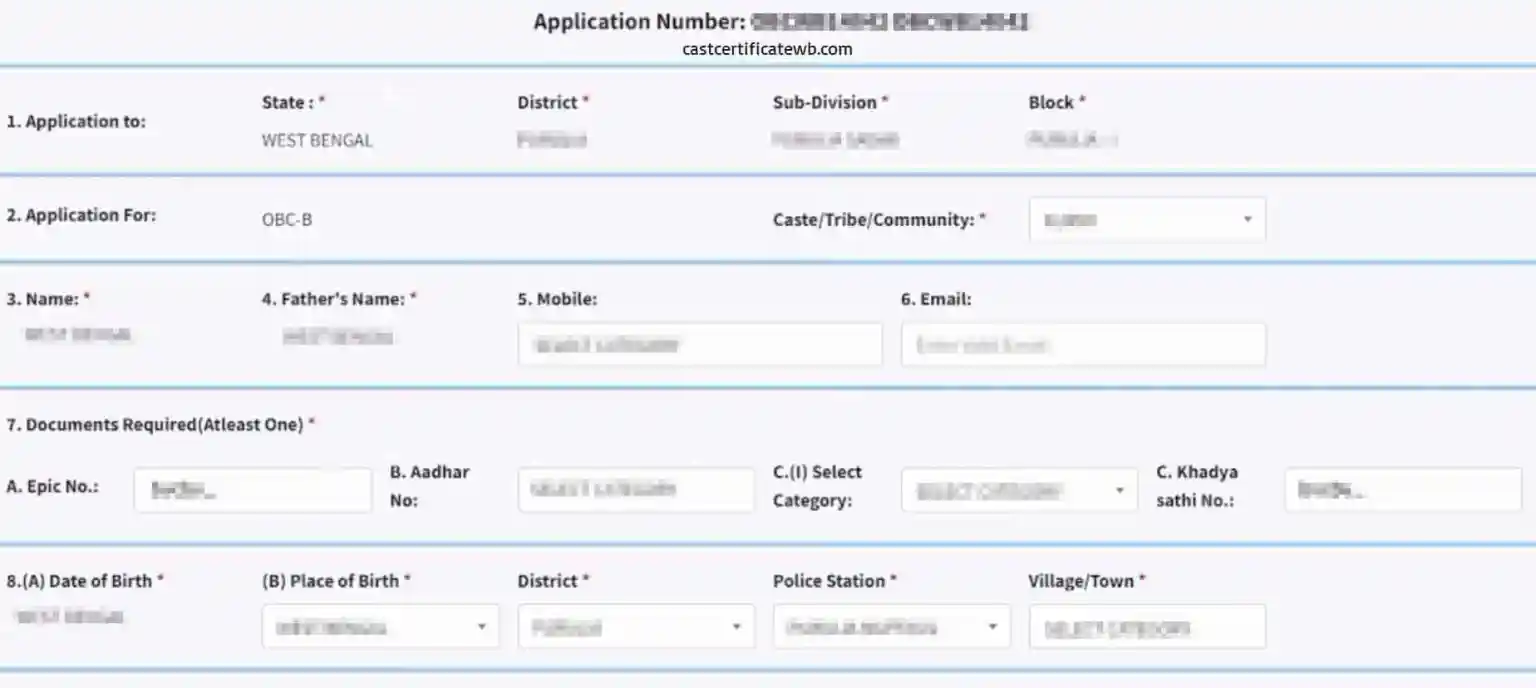
You have to complete the three pages one by one so if you have some mistake in the first page then do it in the first page, if your first page is clear then go to the next page and edit what you want after that save and continue then go to the third and last page, if you have any mistake in the third page like wrong passport photograph then Re-upload the photograph or you have some other mistake then complete the edit and submit the form again.
If you want to know the complete procedure of filling this application form, we recommend you to visit this page to know every detail of this form with proper pictures: SC/ST/OBC Form Fill up.
Step 5. After completing the edit ofthe application you must have to submit the form. On the last page on the bottom you can see a submit button just click on it and submit the form successfully. Remember without submitting the form the form not be edited successfully so remember this after editing all things you have to submit the form.
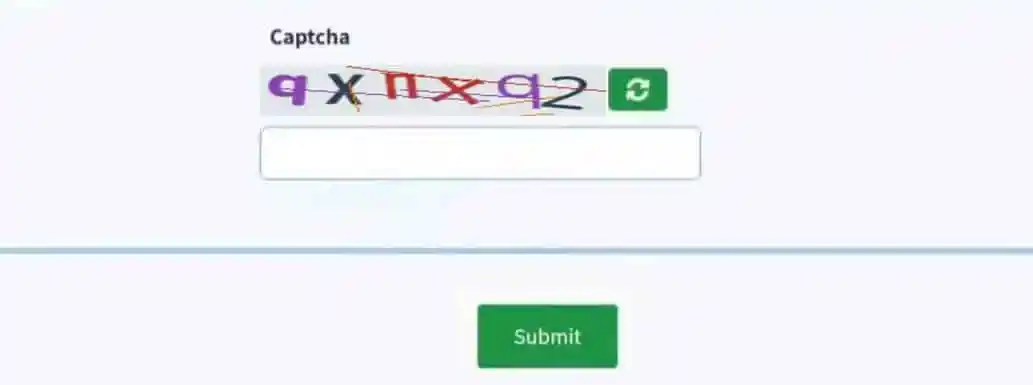
After submitting the form you successfully edit your application form you can also see an acknowledgment for this edit application so save this acknowledgement number for future uses.
Caste Certificate Application Actions
| New Application | Edit Application |
| Application Check | Check Certificate |
| Reprint Application / Acknowledgement Slip | Download Certificate |